Your recipes deserve more
than a folder.
Most recipe apps do one part of the job well — they save links, or plan the week, or keep a list. iwant2eat covers the whole way: from the moment a recipe reaches you, in any form and any language, to dinner on the table and groceries in the bag.
- 10+ ways to add a recipe
- 31 languages to translate into
- 6 people on one subscription
- $20 a year for all of it
14 days free, no card. The demo needs no sign-up at all.
★ Rare — something few recipe apps do.
What's usual — and what you get here
The left column is what you'll find in many recipe apps — not in every one, but in more than you'd think.
| What we compare | Many recipe apps | iwant2eat |
|---|---|---|
| Where it works | One phone — often iPhone only. A website, if there is one, is cut down or costs extra. |
Any browser, plus apps for iPhone and Android. One account, recipes in the cloud. |
| Getting recipes in | Paste a link; sometimes snap a photo. |
Links, text, photos, handwriting, voice, email, videos, the phone's Share menu, a browser extension — and whole collections at once. |
| Video recipes | Usually just the caption under the video. |
The caption — or the narration itself when the recipe is only spoken. The clip stays on the recipe. |
| Scaling | A multiplier: ×2, ×½. |
Change the servings, or type the amount you actually have — the whole recipe follows, and so do the times that depend on it. |
| Units | Whatever the recipe says. |
Metric or imperial, °C or °F — even fresh or dry yeast and the vinegar you keep at home. |
| Language | Whatever language it was saved in. |
One tap translates any recipe into any of 31 languages. The original stays a tap away. |
| At the stove | A long page to scroll with floury fingers. |
Cooking mode: one step at a time, read aloud, voice commands — and the screen stays on. |
| Finding a recipe | A search box. |
Search across every word, typos forgiven — or just ask: “what can I make in 30 minutes?” |
| Shopping list | A basic checklist. |
One live list for the family that remembers what you buy, where and how much — sorted by store and aisle. |
| Family | Sharing, if any, is one list or one recipe at a time. |
Up to five household members in one vault, each with their own sign-in and permissions. One subscription covers everyone. |
| Price | With AI features: usually $40–60 a year. |
$20 a year for everything — the whole household included. |
| Without a subscription | A free plan capped at a few dozen recipes, or fewer. |
Nothing is deleted: open, search, cook from, print and export your recipes free, for as long as you like. |
| Taking them with you | Getting your recipes out is hard, or impossible. |
One backup file with everything, in an open, documented format — plus PDF, Word and print. |
Wherever you are, your recipes are too
One account on every screen. A lost phone takes nothing with it.
- ★ Rare
A real website
Open iwant2eat.com in any browser on any computer, tablet or phone. The whole product, not a cut-down companion to an app.
Apps for iPhone and Android
Same account, same recipes. The app adds the phone's Share menu, the camera and a home-screen widget.
In the cloud, not on one device
Add a recipe on the computer and it's on your phone a moment later. New phone? Sign in and everything is there.
Readable offline
Recipes you opened recently stay readable without a connection — or keep the whole vault, the list and the plan on the phone.
Your list on the home screen
A widget on iPhone and Android shows what to buy, grouped by store, without opening anything.
Installs like an app
Rather skip the app store? The website installs to your home screen or desktop and opens full-screen.

However a recipe reaches you, it comes in
Each one becomes a clean card — title, ingredients with amounts, steps, times, servings, nutrition — in the language it was written in. The original text and photos are kept beside it.
A link to any site
Paste the address. We fetch the page and pull the recipe out from between the ads and the life story.
Photos and handwriting
A cookbook page, a screenshot, grandma's handwritten card. Both sides of a card make one recipe, and the photo stays attached.
Videos and reels
YouTube, TikTok and Facebook reels. When the recipe is only spoken, it's taken from the narration — and the clip stays on the recipe.
- ★ Rare
Email it in
Forward a newsletter or a friend's note to recipe@iwant2eat.com. Text, attached photos and bare links all work; a reply says what was saved.
Say it out loud
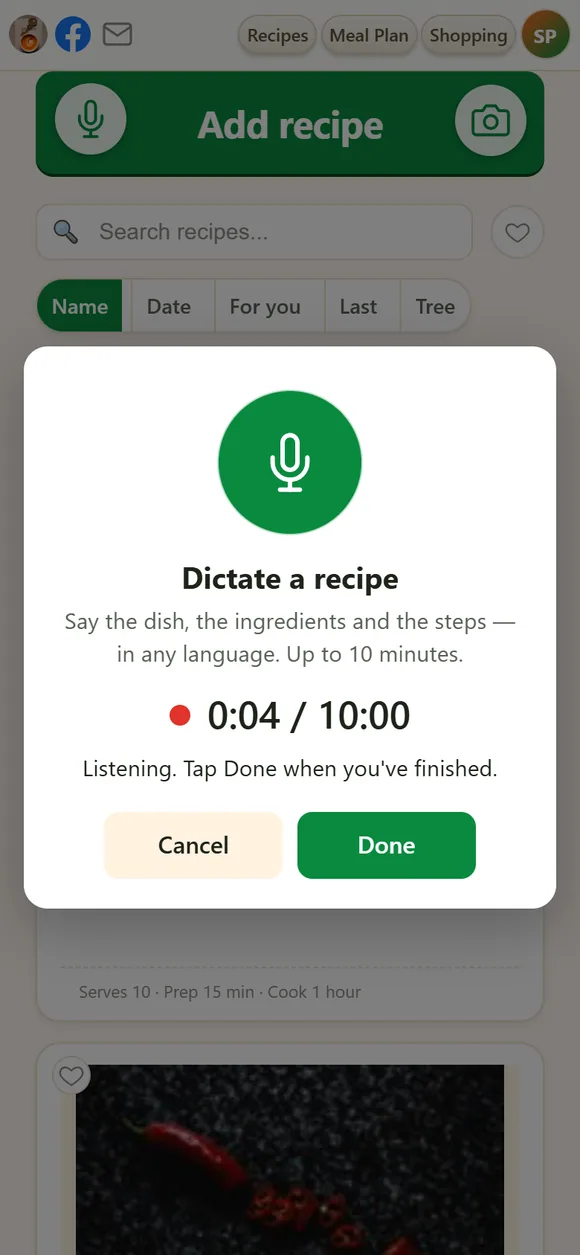
Press the microphone and tell the recipe the way you'd tell a friend — any language, up to ten minutes. AI sorts it into ingredients and steps.
Share from any app
In the phone app, tap Share in Safari, Chrome, YouTube, TikTok or Facebook and pick iwant2eat — without leaving what you were doing.
One click in the browser
The extension for Chrome, Edge, Firefox and others saves the page you're reading — Instagram posts and recipes behind a login included.
A whole collection at once
A long document, a cookbook chapter, Word and text files — split into separate recipes and processed in batches.
- ★ Rare
Ask someone for a recipe
Send mom a link. She types, dictates or photographs the recipe — no account needed — and it lands in your collection, signed “Mom”.
Nothing lost, nothing doubled
Paste a recipe you already have and you're told so. The original is always kept, so a misread can be fixed and processed again.
Made for cooking, not just for keeping
Saving the recipe is half the job. The other half happens at the stove.
Cooking mode
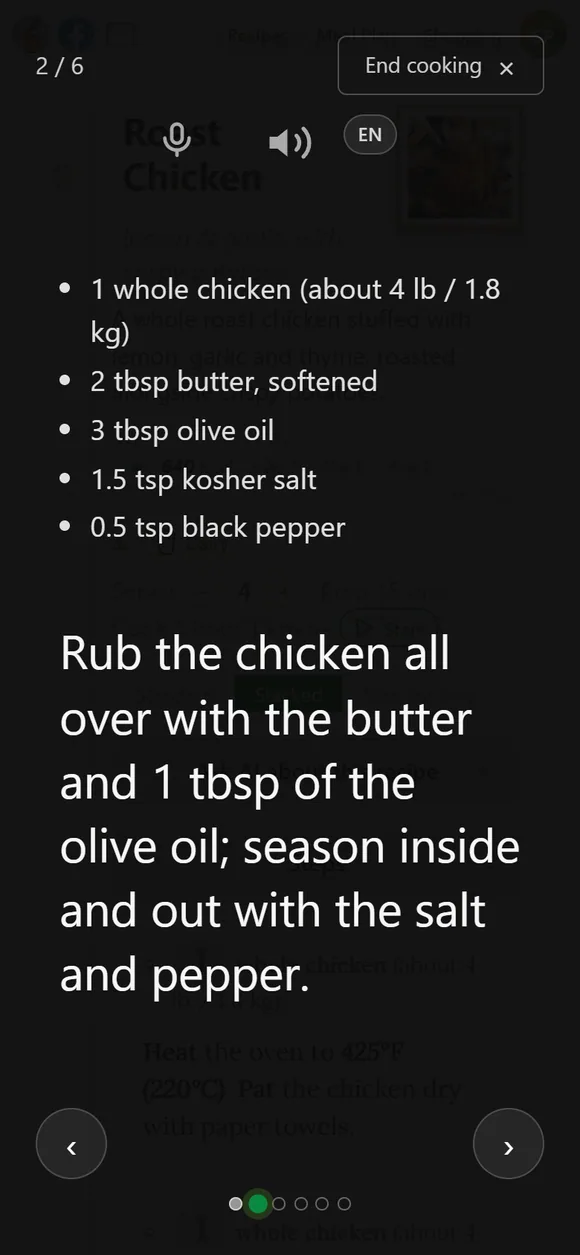
Full screen, one step at a time in big type. The screen stays on, so the recipe is there whenever you glance over.
Hands-free
Turn on voice control and say “next”, “previous” or “repeat” — floury fingers never touch the screen. The speaker button reads the step aloud.
Scale to what you have
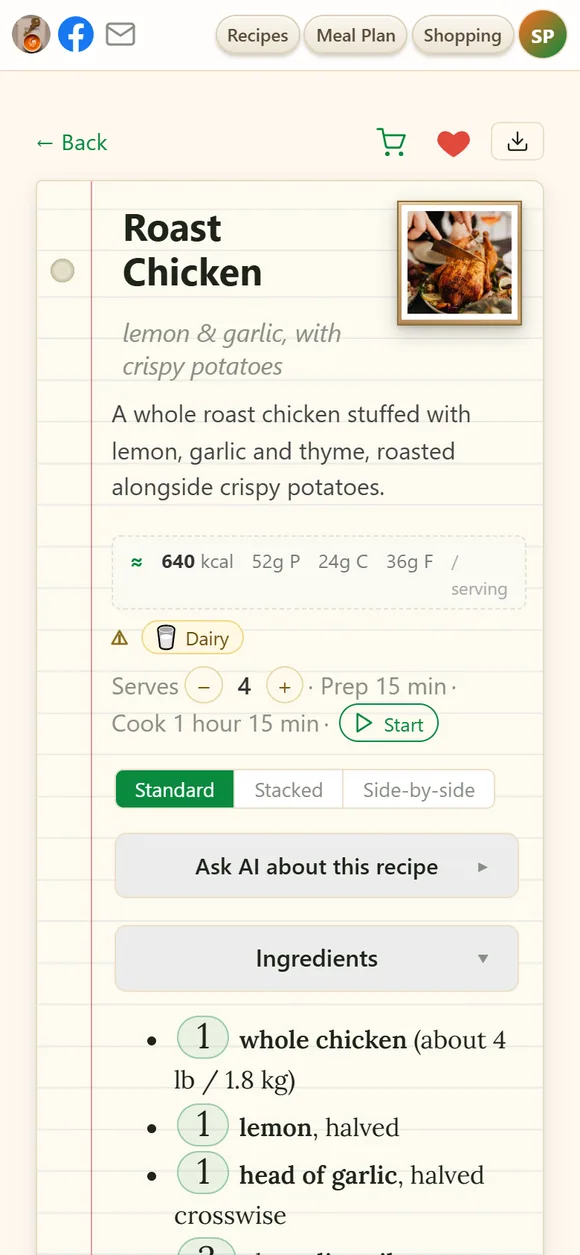
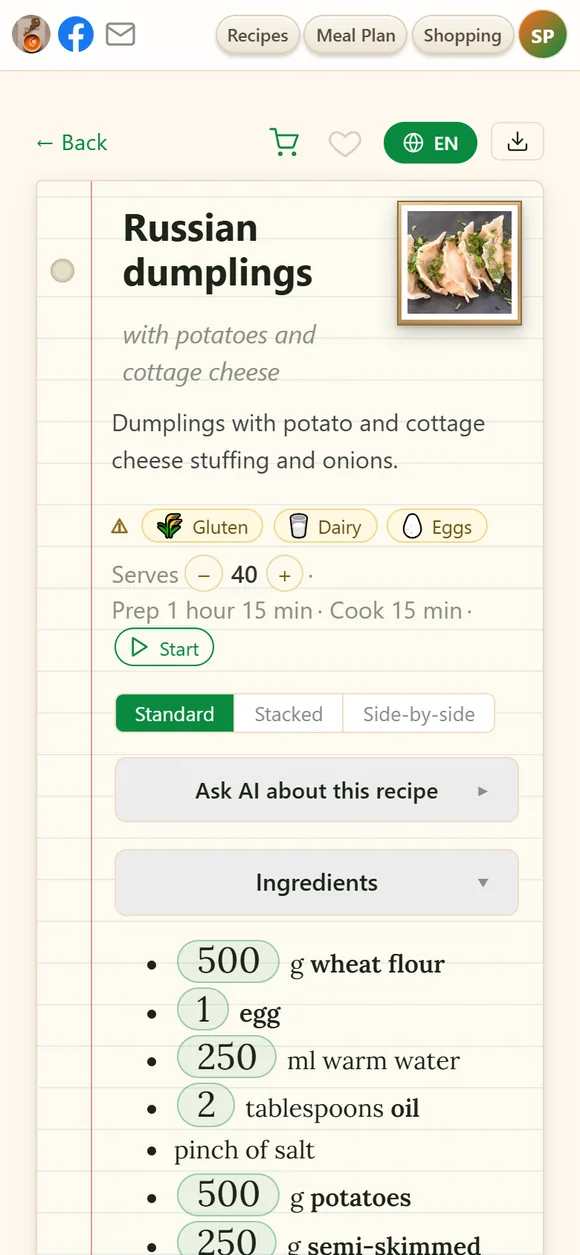
Change the servings — or tap an amount: only 300 g of cheese? Type 300 and the whole recipe scales to match, even the times that depend on batch size.
Your units
Metric or imperial, °C or °F — set once, and every recipe follows. A pinch or a clove gets its weight in grams.
- ★ Rare
Yeast, garlic, vinegar as you have them
Fresh or dry yeast, garlic cloves or powder, vinegar of any strength, curing salt — converted so the dish comes out the same.
Ingredients right by each step
The stacked layout puts what each step needs right above it, so you measure as you go.
Nutrition and allergens
Calories and macros per serving, allergen chips, and a warning whenever one of your watch words — shellfish, peanuts, alcohol — turns up.
Ask about this recipe
What can replace buttermilk? Can I make it the day before? The answer is saved in the recipe's notes for next time.
The right recipe in seconds
A collection is only as good as your ability to find things in it.
Search every word
Titles, ingredients, steps. Several words narrow it down, typos are forgiven, and “creme” finds “crème”.
- ★ Rare
Ask AI — about your own recipes
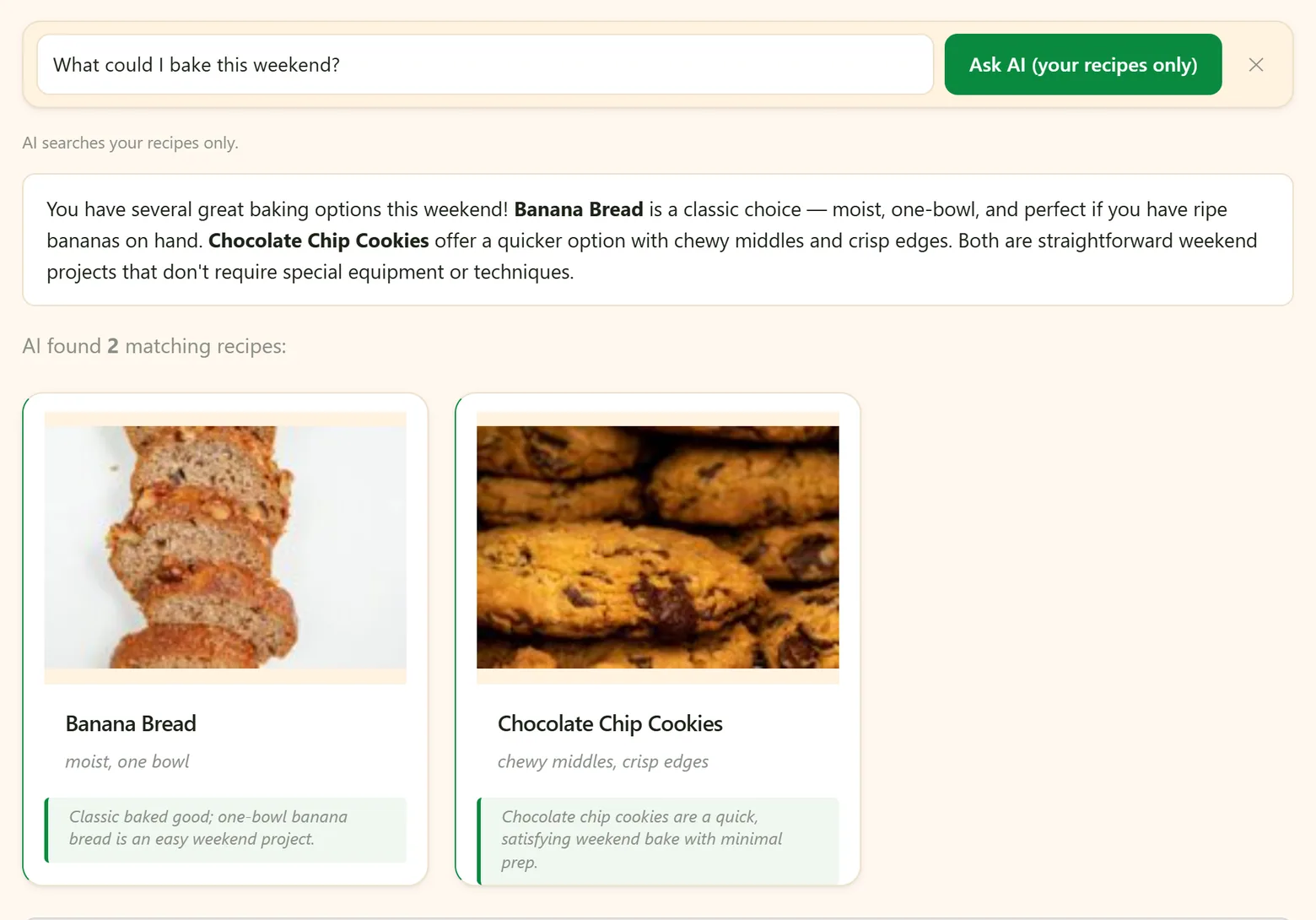
“Which of my desserts are gluten-free?” “What can I cook in 30 minutes?” The answer comes from your collection, not from the internet.
Sorted for you
“For you” puts first what you actually cook, learned from your list, favorites and meal plans. No ratings to give.
Tags, collections, favorites
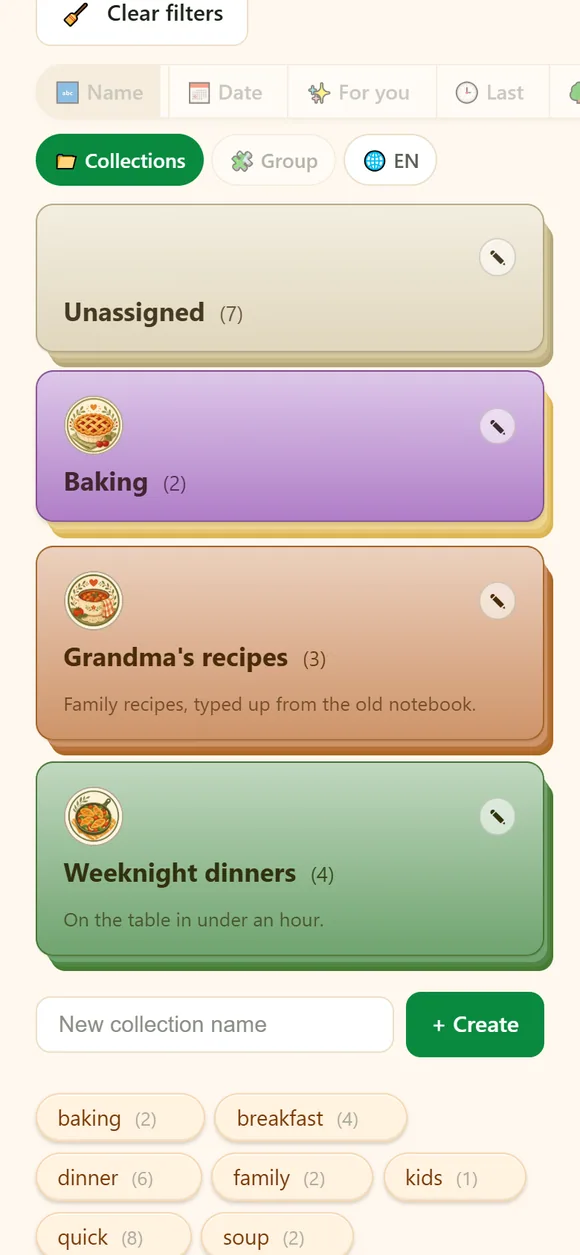
Drag a tag onto a card, give each collection its own colour and look, and heart the ones you love.
AI files the pile
Hundreds of unsorted recipes? AI proposes collections and you tick the ones to keep. Nothing moves until you say so.
Every version of a dish together
Five borscht recipes stack into one card with a chip per version — and AI can write the best of them into one.
Any recipe, in your language
Recipes are kept in the language they were written in, and read in yours.
- ★ Rare
One tap to translate
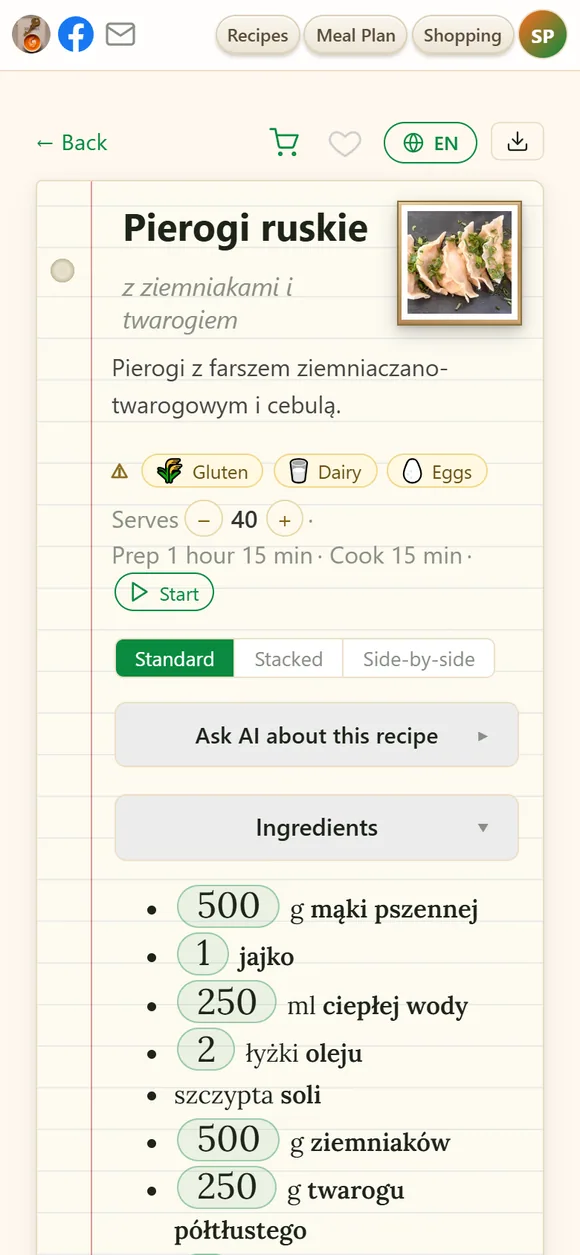
Polish pierogi in English, an American blog in Russian: the title, ingredients, steps and notes. Tap again for the original.
- ★ Rare
An interface in 31 languages
From Arabic and Hindi to Ukrainian and Vietnamese — and recipes are translated into the one you pick.
The whole collection in your language
One button shows every title on My Recipes translated.
A family cookbook, translated
Turn a collection into a PDF book in another language: grandma's recipes, in English for the grandchildren.
Links that speak their language
Whoever opens your recipe link can read it in their own language, no account needed. A letter to a friend can be translated before you send it.
Help in your language, too
Every help page exists in all 31 languages, so nobody is left puzzling over instructions in someone else's.
From “what's for dinner?” to a full bag
The week's plan and the family's shopping list, built from the recipes you already have.
The week on one screen
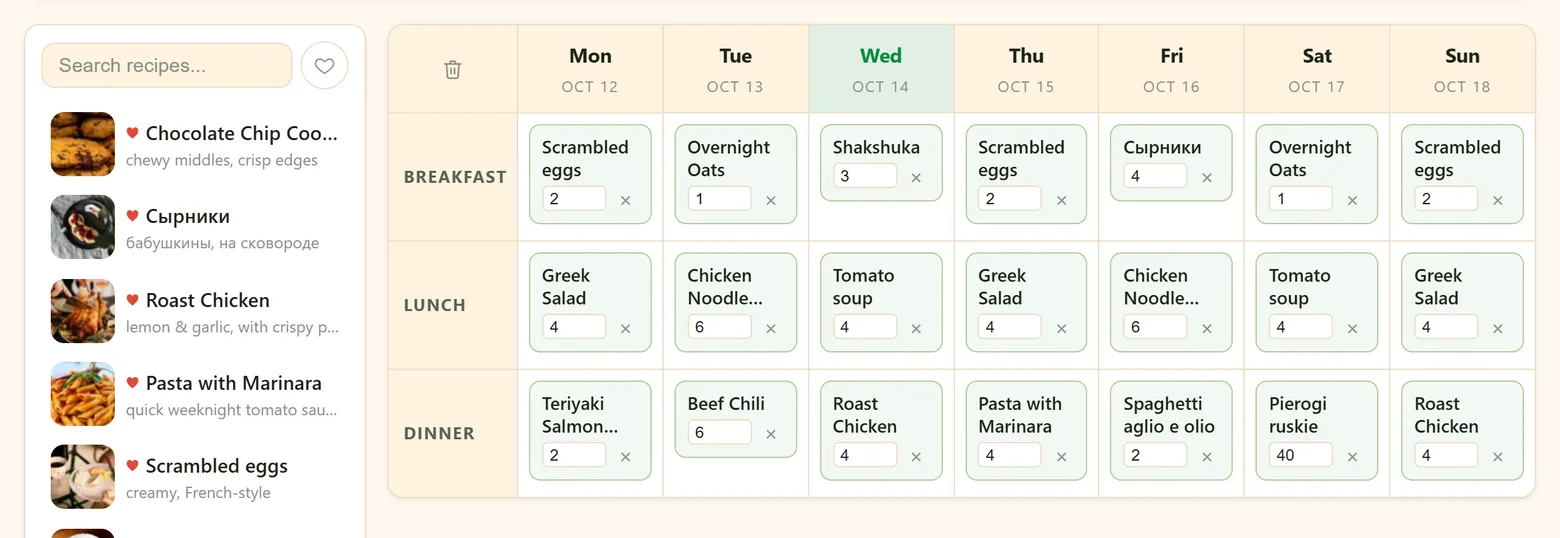
Drag recipes into breakfasts, lunches and dinners. Each dish keeps its own servings — double them on Saturday, for guests.
AI plans from your recipes
“Quick breakfasts, one fish dinner, no repeats.” It fills only the empty slots, and only with your own recipes.
From a recipe or the plan to the list
One tap puts a recipe's ingredients — or the whole week's — on the list. What's already there isn't doubled.
One live list for the family
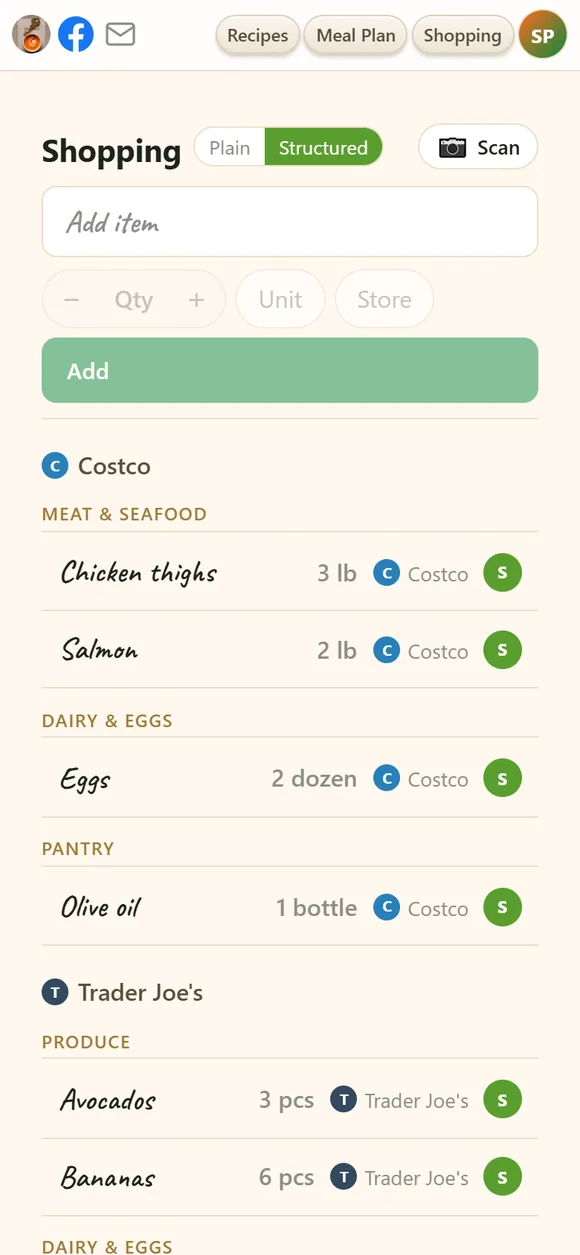
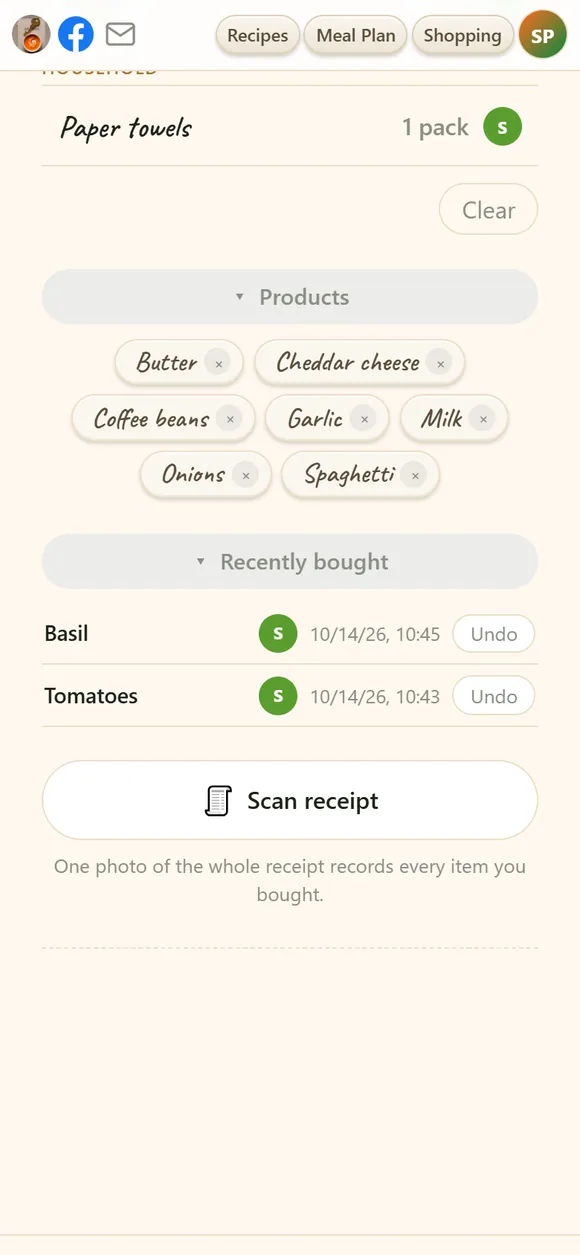
Add cornstarch from the couch and it's already on the phone of whoever is in the store. Recently bought shows who got what.
It remembers what you buy
Start typing and your usual products pop up with their amount, unit and store. Regulars wait below the list as one-tap chips.
It knows which store you're in
Allow location and the items for the shop you're standing in come first. The list is sorted by store and aisle, so you walk each aisle once.
- ★ Rare
Is it a good buy?
Photograph a product or its price tag: the price per unit, compared with what you've seen and paid before, its Nutri-Score and the use-by date.
Receipts become price history
One photo of the receipt records every price. Your own price history, shared with the family.
Private by default, easy to share
Your vault is yours until you decide otherwise — then there's a way for every occasion.
Household members
Up to five people in one vault, each with their own sign-in. You decide who may read, add or change recipes, the plan and the list. Members don't pay.
A recipe by link
Anyone can open it without an account, cook from it, print it — and save a copy into their own iwant2eat with one tap.
A whole collection
Shared with its own look. Friends can add it as a linked collection that updates whenever you add to it.
Friends
Trade recipes with other iwant2eat users: see what they share and copy what you like.
A recipe book for the family
A collection becomes a PDF with a cover, contents and one recipe per page — ready to print or send.
Email a recipe
A short email from your name with the recipe's link; replies come straight to you.
Your recipes stay yours
A collection takes years to build. It shouldn't depend on any company's mood — ours included.
Private
Nothing is public unless you share it, nothing is indexed by search engines, and your recipes are never used to train AI.
No ads
No banners, no sponsored recipes, no feed of strangers' dishes. Just your recipes.
Nothing deleted when you stop paying
Your recipes stay yours to open, search, cook from, print and export — free, for as long as you like.
Everything in one file
Export the whole vault — photos, tags, notes, nutrition — into one backup in an open, documented format.
Print, PDF, Word
Any recipe as a clean, ink-friendly page or a file to keep.
A Trash you can undo
Deleted recipes wait in the Trash until you restore them or let them go.
Your words win
Change a title or write a note, and your version stays even when the recipe is processed again.
A real person answers
Questions go to the people who build iwant2eat, and are usually answered within a day.
All of it for $20 a year
Every account starts with 14 days free — everything included, no card. After that it's $2.99 a month or $20 a year, and one subscription covers up to five household members. Recipe apps with AI usually ask $40–60 a year.
- 14 days free, no card
- $2.99 a month or $20 a year
- Up to five household members included
- Cancel in two clicks
Start with one recipe
Paste a link, snap a cookbook page or forward an email — and see what it turns into. Your first recipe is a minute away.
14 days free, no card. The demo needs no sign-up at all.