iwant2eat

What's new

What we have added to iwant2eat lately, newest first.

A new look for iwant2eat

iwant2eat has a second look. It is darker and calmer, and it puts the photo first: in the list your recipes stand like posters, and a recipe opens with its picture across the top.
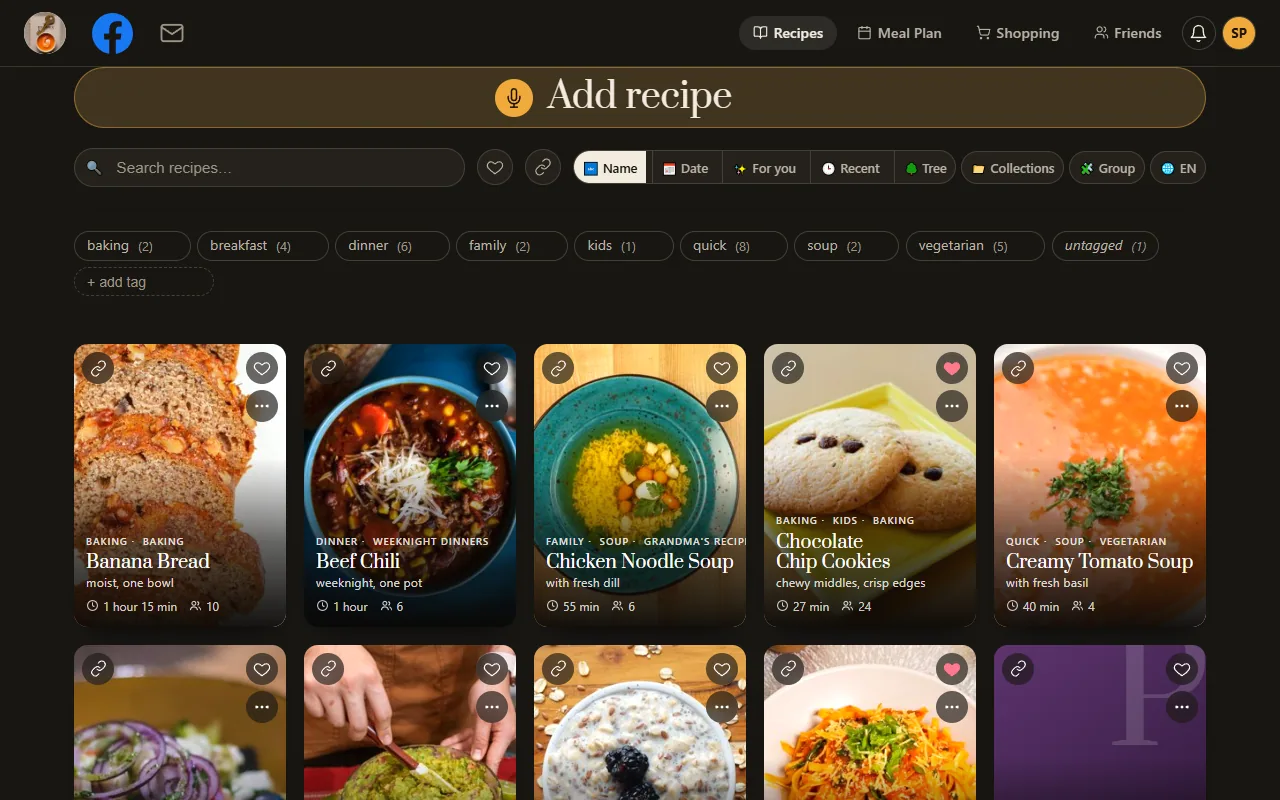
My recipes in the new look: recipe photos as posters on a dark page

Nothing was taken away and nothing moved to another place. Every button and every menu does what it did before; it only looks different. On a phone the tabs now sit along the bottom of the screen, with adding a recipe in the middle.
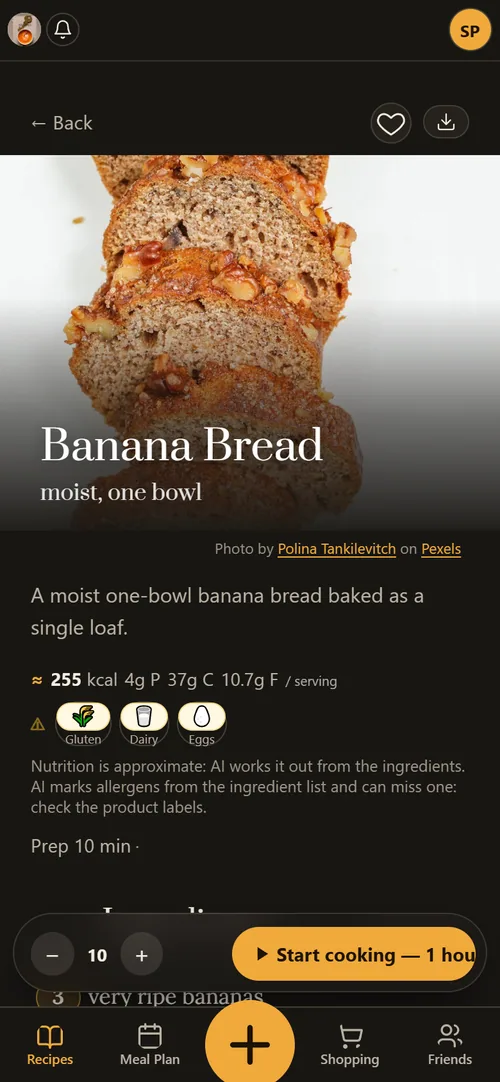
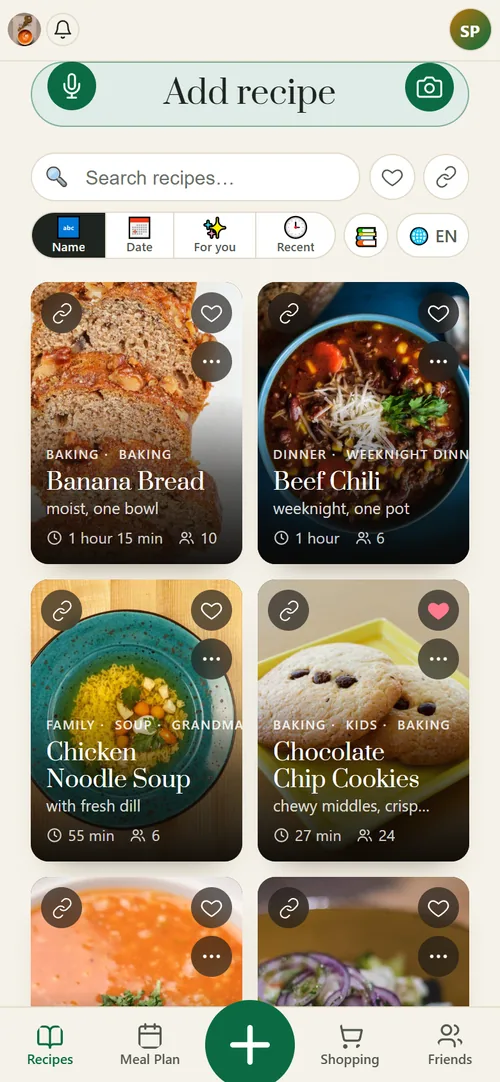
A recipe in the new look on a phone, dark
My recipes in the new look on a phone, light

How to switch it on

Open the menu under your avatar in the top corner and switch on New look. Under the switch you choose its tone: Dark or Light.
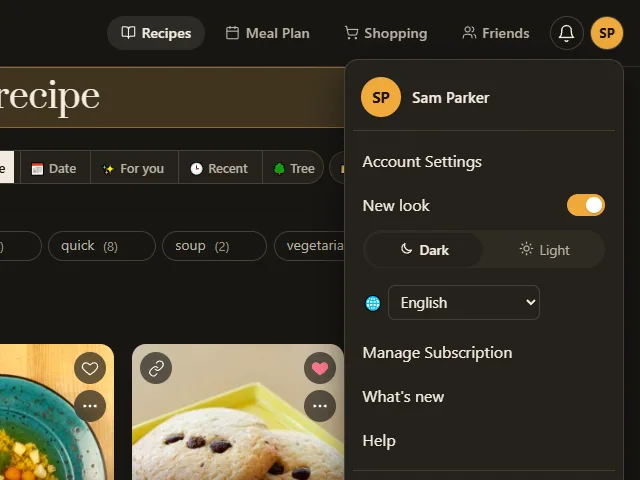
The menu under the avatar with the New look switch on

The choice is kept on each device by itself, so your phone can wear the new look while your computer stays as it was. The same switch brings the old look back whenever you like.
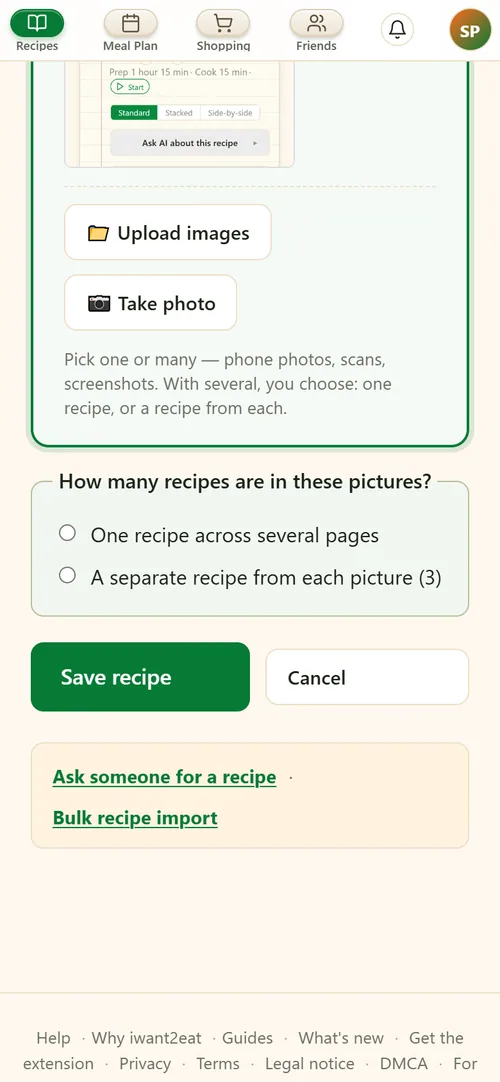
A stack of screenshots, a recipe from each

A recipe collection that lives in your phone's gallery used to move in here one screenshot at a time. Now it moves in one go: on the Add page pick two pictures or more, and the page asks how many recipes they are.

Answer that each picture is a recipe of its own, press Save, and every picture is read into a separate recipe while you get on with something else. One Save takes up to 30 pictures. Two sides of one card are still one recipe: that is the other answer.

The Add page with several pictures picked and the question of how many recipes they are

Friends: trade recipes with people you know

iwant2eat now has friends: other people who use it and with whom you trade recipes. They live under Friends in the top bar, next to your recipes.

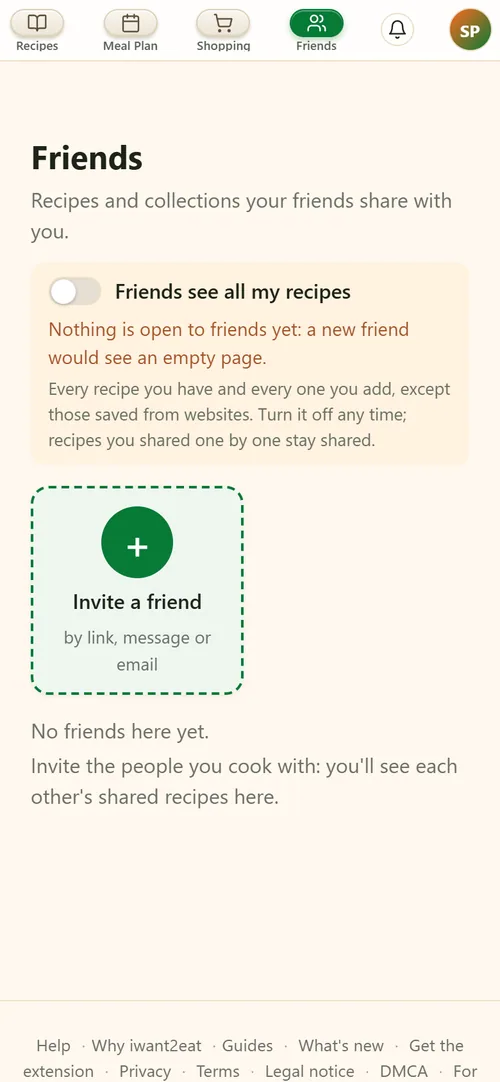
Send a friend your invitation link by any messenger. Once they open it and sign in, you are friends, with nothing more to confirm. After that you share recipes one by one, a whole collection, or everything at once with the switch Friends see all my recipes.

The Friends view on a phone

A friend opens what you shared and saves a copy into their own recipes. A recipe you saved from a website reaches them as its ingredients and a link to the original page, because its full text belongs to its author. Nothing here is public: only the friends you accepted see what you share.

A recipe from a video that never says it

Many cooking reels are filmed to music. The recipe is not in the caption and nobody says it aloud, so until now a link to such a video came back with no recipe.

Now, when the caption and the speech give nothing, we look at the video itself and write the recipe from what its pictures show: what goes into the bowl, in what order, and what is done with it. The amounts in such a recipe are marked as estimates, since nobody named them, and a note at the top says where the recipe came from.

This works for links from Facebook, TikTok and YouTube, and for Instagram reels shared from the iwant2eat app or saved with the browser extension. A video that does say its recipe is read from its words first, as before.

Say your shopping list aloud

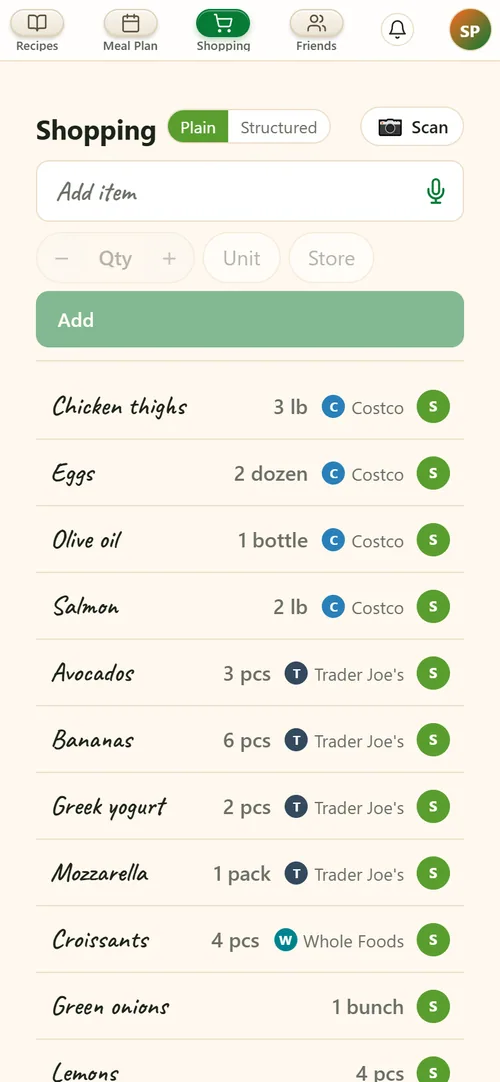
The shopping list can now be said aloud. Press the microphone in its box and say what you need, the way you would tell a person: "milk, two pounds of chicken, bread from Costco". Each thing becomes a line of its own, with its amount and its store.

The shopping list on a phone with the microphone in the box

It understands any language. The list is filled even if you lock the phone the moment you finish speaking.

A red mark on what could harm

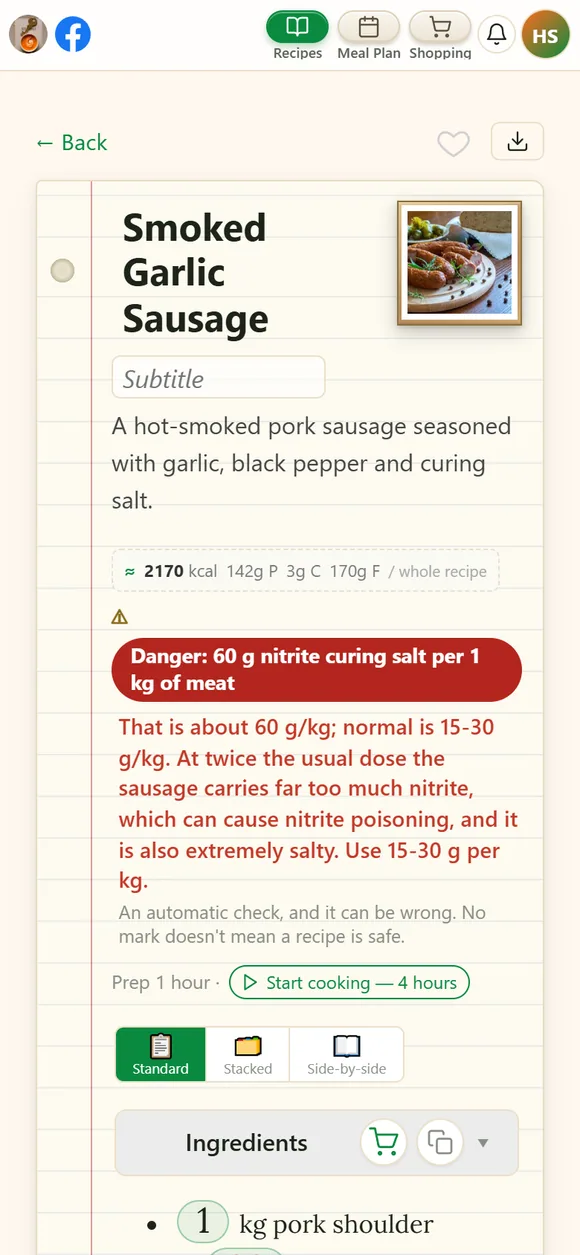
Every recipe you add is now checked for what could really harm the people who eat it: too much curing salt for the weight of the meat, vinegar essence too strong for a marinade, a poisonous mushroom, a jar of meat or beans sealed in a way that risks botulism.

When the check finds something, a bold red mark appears next to the allergens and the lines it means turn red. Tap the mark to read what is wrong and what would be normal.

A recipe on a phone with the red danger mark and a line in red

An ordinary recipe gets no mark: raw eggs, tartare and home ferments are left alone. The check is a help and not a guarantee, and a recipe with no mark has not been declared safe.

What can I cook? Ask with a photo of the fridge

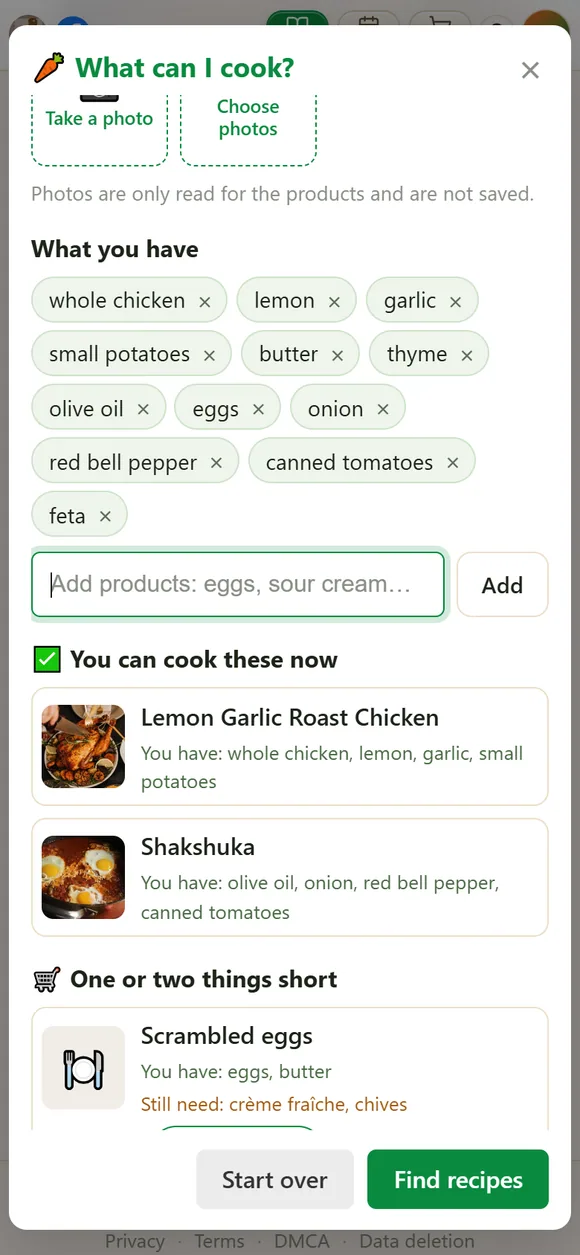
Above the search on My recipes there is a new button, What can I cook from what I have?. Photograph the fridge, a shelf or the shopping on the table, up to four pictures, and the AI lists the food it sees in them.

The window that turns photos of the fridge into dinner ideas

Correct the list where it got something wrong, press Find recipes, and you get ideas for dinner from your own recipes, not from the internet: first what you can cook right now, then what is a product or two short. To shopping list adds what is missing to your list.

AI files your recipes, and a collection becomes a book

Two things for a collection that has grown.

The AI files your recipes

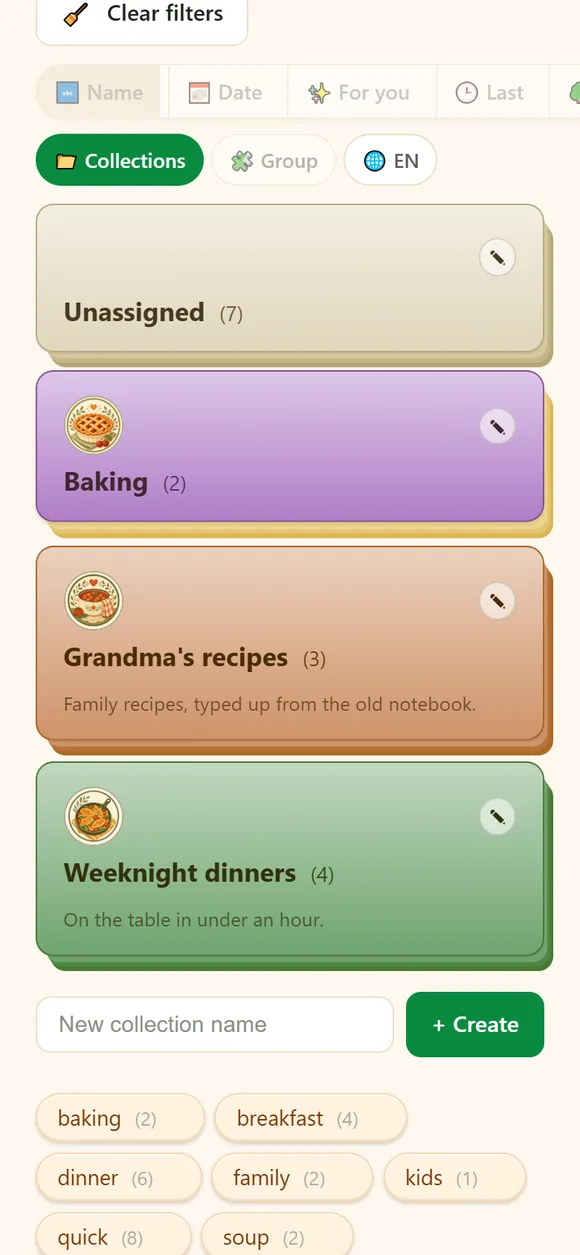
When ten or more recipes sit in no collection, a line above the grid offers Sort into collections. The AI proposes collections and shows which recipes go into each. Untick or rename what you don't like: nothing changes until you agree, and recipes already filed are not touched.

My recipes on a phone, shown as collections

A collection as a book

Recipe book (PDF) on a collection makes a book of it to print or to send to family: a cover, the contents, then a recipe to a page with its photo. The book can keep the language the recipes are written in or be translated whole, so a grandmother's recipes reach grandchildren who read another language. The book is made on the website, in a browser.

An unhandled error has occurred. Reload 🗙

Rejoining the server...

Rejoin failed... trying again in seconds.

Failed to rejoin.
Please retry or reload the page.

The session has been paused by the server.

Failed to resume the session.
Please retry or reload the page.