
Meal plan
Plan the week from your own recipes, by hand or with AI, and send it to the shopping list in one tap.
The week at a glance
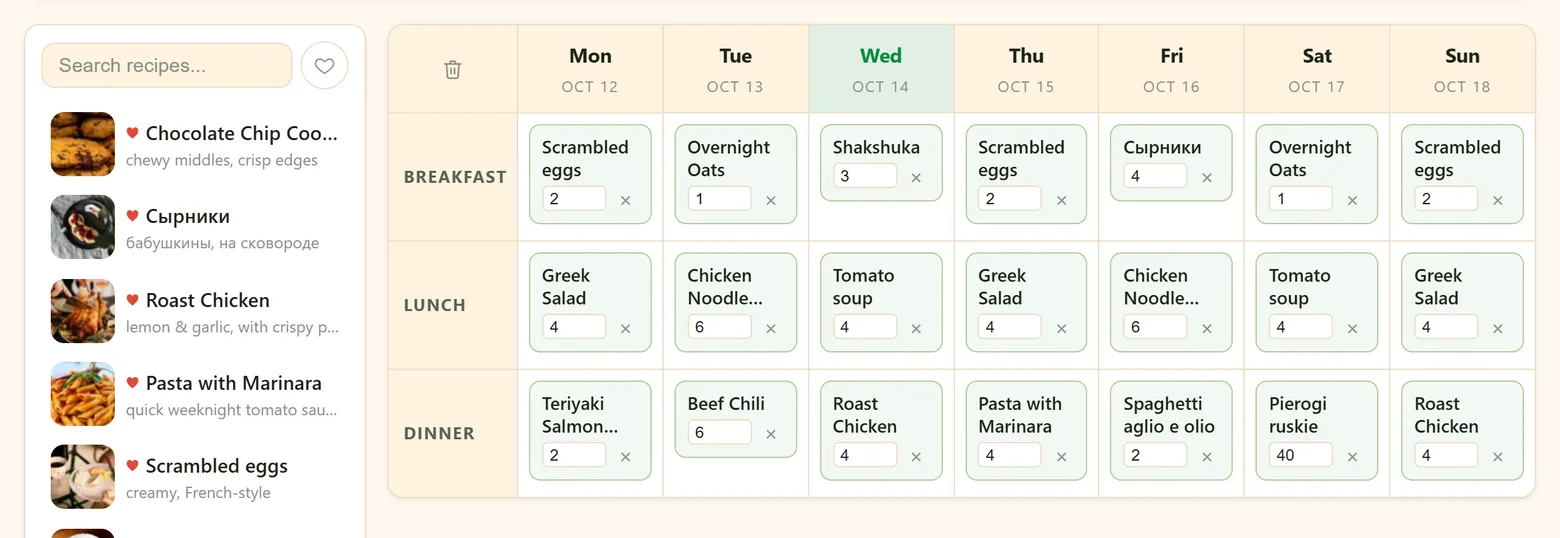
Meal Plan is a week of breakfasts, lunches and dinners, Monday to Sunday, with today highlighted. The arrows move a week back or forward; This Week brings you back.
Put recipes on the plan
- Drag a recipe from the list on the left into a day and meal. The list has its own search and a heart to show only your favorites.
- More than one dish in a slot is fine — a main and a side, soup and a salad.
- Remove a dish with its ×; the bin in the corner of the grid clears the whole week.
- Open a dish by tapping its name — straight to the recipe.
Let AI plan the week
Press 🤖 AI Plan, say what you're in the mood for and tick the meals to fill — for example "Quick breakfasts. Soup or salad for lunch. One fish dinner, no repeats." Then press Generate.
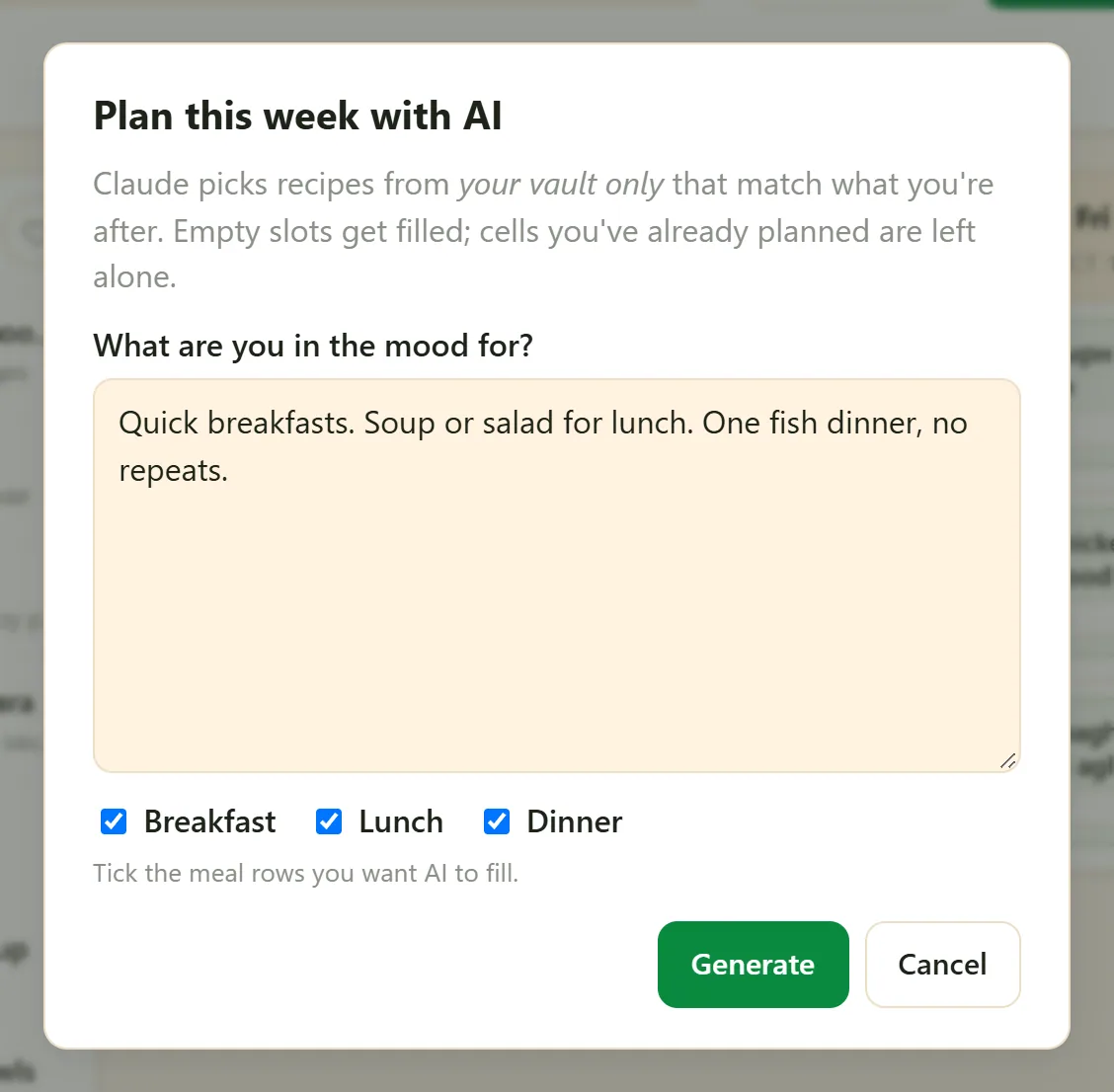
The AI picks from your own recipes only, and fills only the empty slots — anything you've already planned by hand stays exactly where it is. Don't like a suggestion? Remove it and drag in something else, or run AI Plan again for the gaps.
Servings for each meal
Every dish on the plan has its own serving count, starting from the recipe's own. Cooking for guests on Saturday, or making a double batch for leftovers? Change the number on that day only.
From the plan to the shopping list
🛒 Make a Shopping List puts the ingredients of every recipe on this week's plan onto the household shopping list. Each ingredient is added once, by name — what's already on the list isn't doubled — so you can press it again after changing the plan. Amounts aren't copied over; add one to any line that needs it.
Print it for the fridge
🖨 prints the week; 📄 saves it as a PDF to send to the family chat.
Household members can see — and, if you allow it, change — the same plan. See Household members.
Didn't find your answer? Write to us: support@iwant2eat.com