
Shopping list
One live list for the whole household, with stores and aisles, usual amounts, product scans, receipts and price history.
One list for everyone
Your household has one shopping list, and it's live: add cornstarch from the couch and it's already on the phone of whoever is standing in the store. Everyone can add; whoever is shopping taps items off.
Each line shows the amount, the store you buy it at and who added it. Switch between two views at the top:
- Plain — one list, newest first.
- Structured — grouped by store, then by aisle: produce, dairy & eggs, meat & seafood, bakery, pantry, frozen and so on, so you walk each aisle once.
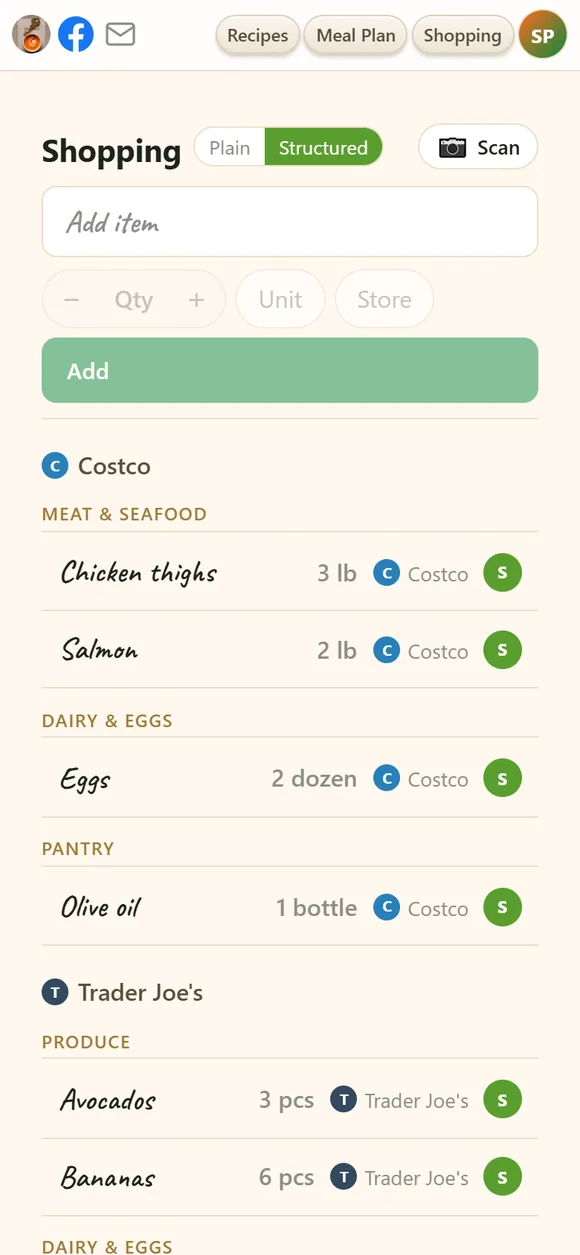
Adding items
- Type a name in Add item. Things you've bought before pop up with your usual amount, unit and store — pick one and it's filled in.
- Amount, unit, store are optional: − / + for the quantity, a unit chip (add your own units too), a store chip. Then Add.
- The same item merges. Add 2 lb of chicken twice for the same store and you get one line of 4 lb.
- From a recipe — the 🛒 at the top of any recipe puts its ingredients on the list.
- From the week's plan — 🛒 Make a Shopping List on Meal Plan.
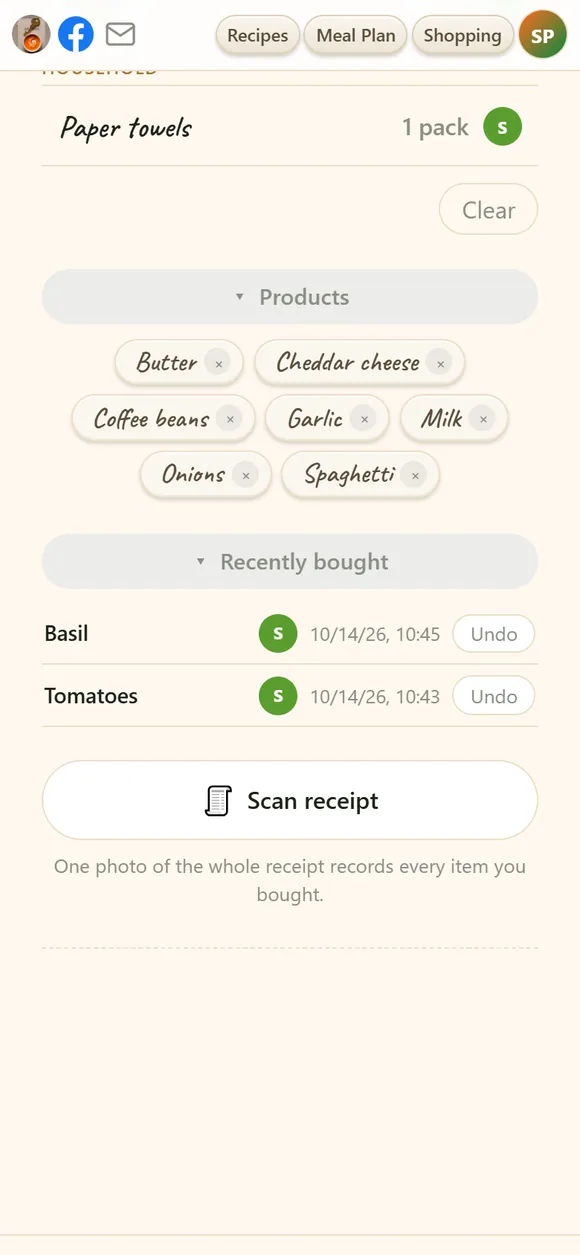
- Products — below the list, chips for the things you buy regularly. Tap one to put it back on the list; its × removes it from suggestions.
Stores
Your list starts with a set of common chains. Add the shops you really use, rename them, or remove the ones you never visit — right in the store chips of the Add item row.
- The store you're in comes first. Allow location and the list notices which shop you're standing in and floats its items to the top. It works on its own; if you once blocked location by mistake, turn it back on under Account → Misc → Store detection.
- 📍 here marks items you've bought or scanned at this very store before.
In the store
- Tap an item when it's in the cart. It moves to Recently bought, which shows who bought what and when — Undo puts a mistake back.
- Change an item with its ✎ (or a long press on a phone): fix the amount, unit or store.
- Clear empties the whole list, after asking.
- The screen stays on while the list is open, so you don't unlock your phone at every shelf.
📷 Scan a product — is it a good buy?
On a phone or tablet, the 📷 Scan button at the top of the list opens the camera. Photograph the product — or just its shelf price tag — and you get a verdict a moment later, no typing:
- Price per unit, worked out for you — the number that matters when one jar is 340 g and the next is 500 g. Multipacks are multiplied out.
- Compared with your own history — "cheapest you've seen", or "you saw it 18% cheaper at Costco on Jul 3". Not a guess at "typical" prices: your own shopping is the only price history that's actually true for you.
- What's really in it — how processed it is, its Nutri-Score, and notes such as "first ingredient is sugar", read from the label or looked up by barcode.
- Dates — a use-by or best-before date on the pack is read too, so a "bargain" that expires on Thursday gets called out.
Every scan is remembered, whether you buy or not — scan the same thing twice in a day and that day's entry is simply updated. The store fills itself in from your location or from the tag. In the app you may be offered to scan the barcode as well, which makes the history more accurate. Each scan uses a fraction of a cent of your AI budget.
🧾 Scan a receipt
Back home, press Scan receipt under the list and take one photo of the whole receipt: every item you bought is recorded with its price, in one go.
Recorded prices
Show recorded prices under the list opens your price history: every product you've scanned or bought from a receipt, with its price, store and date, and the best price you've seen. Search it, sort it, delete a product's prices, or clear everything. Prices are shared with your household, like the list itself.
On your home screen
With the iwant2eat app, the shopping list can live on your phone's home screen as a widget — see the shopping-list widget.
Didn't find your answer? Write to us: support@iwant2eat.com